

Nekt Express
Nekt Express uses GCP infrastructure. Connect Tableau using the native Google BigQuery connector.You will need a Google account with access to the
nekt-hosted-infrastructure BigQuery project. Refer to Tableau’s BigQuery connector documentation for full setup details.- In Tableau, go to Connect → To a Server → Google BigQuery.
- Sign in with your Google account.
- Select the
nekt-hosted-infrastructureproject, then browse to the dataset and table you want.
GCP
Your Nekt workspace is on your own GCP account. Connect Tableau using the native Google BigQuery connector with your own project.Refer to Tableau’s BigQuery connector documentation for full setup details.
- In Tableau, go to Connect → To a Server → Google BigQuery.
- Sign in with your Google account.
- Select your GCP project, dataset, and tables.
AWS
Your Nekt workspace is on your own AWS account. Connect Tableau using the Amazon Athena connector, which requires an ODBC driver.You will need AWS credentials: Access Key ID and Secret Access Key. Generate them using this AWS guide.
Step 1: Find the Athena connector
In Tableau’s Start Page, go to Connect → To a Server → More. Find and select Amazon Athena.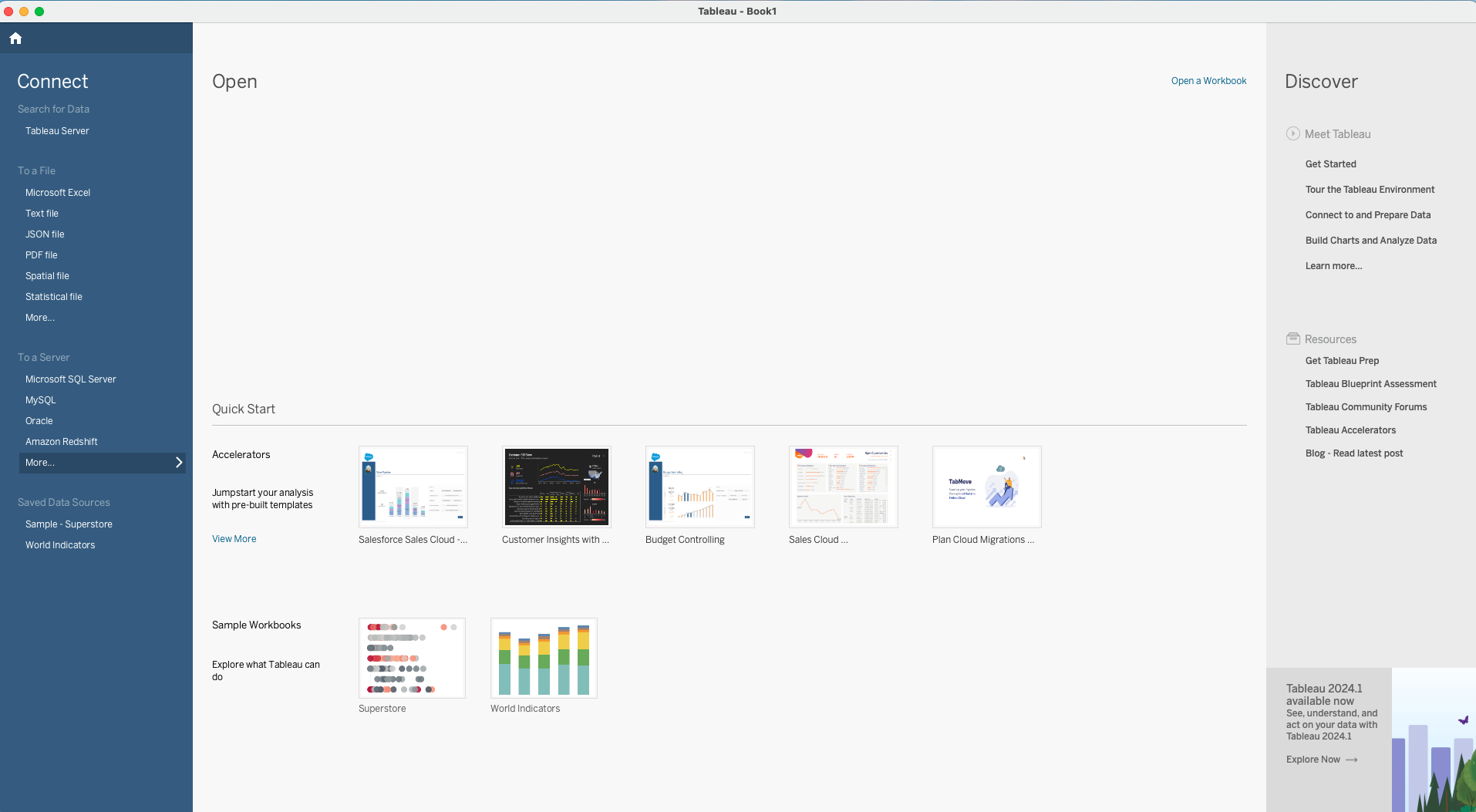
Step 2: Install the required driver
If the ODBC driver is not installed, Tableau will display an error with a download link. Visit Tableau’s driver download page for the correct driver version.Step 3: Enter your credentials
After selecting Amazon Athena, enter the required connection details including your AWS region, workgroup, S3 staging directory, and credentials. Contact Nekt support for your company-specific values.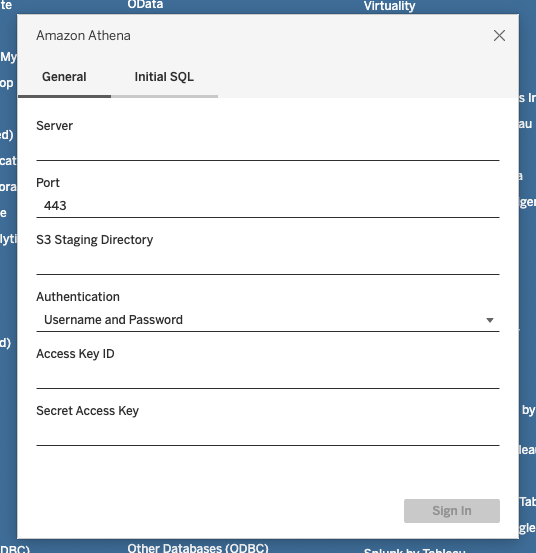
For more details, see Tableau’s Amazon Athena connector documentation.